
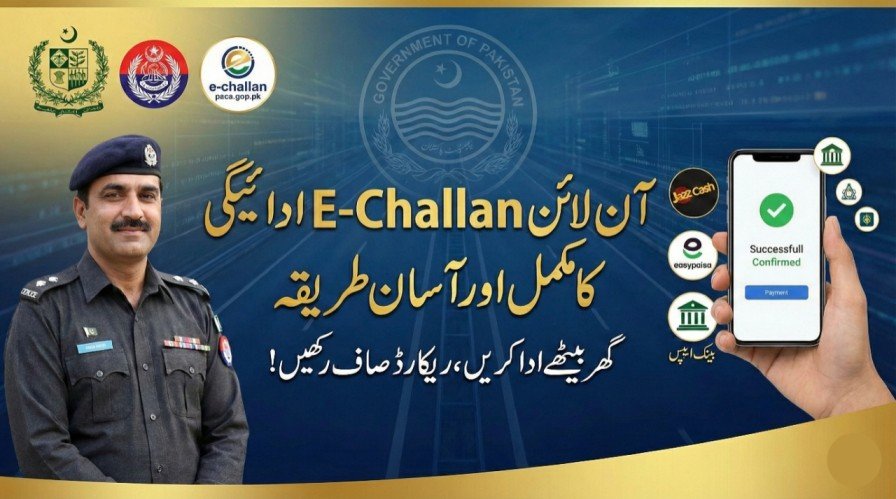
Paying traffic fines in Pakistan has become easier with the digital E-Challan system. Whether you live in Punjab, Sindh, or Islamabad, you can now check and pay your traffic fines online through banks, mobile apps, or digital wallets like JazzCash and EasyPaisa. This system saves time, prevents fake challans, and helps drivers maintain a clean driving record. Using the official portals and payment methods ensures a safe and legal transaction.
| Payment Method | Details |
|---|---|
| Official Portal | e-challan.psca.gop.pk |
| Mobile Wallets | JazzCash, EasyPaisa, Upaisa |
| Bank Apps | HBL, UBL, MCB, Meezan Bank, and other supporting banks |
| Payment Options | Card, mobile wallet balance, internet banking |
| Required Info | Vehicle registration number or CNIC |
| Receipt | Digital receipt available instantly after payment |
| Coverage | Punjab, Sindh, Islamabad, and other cities using official portals |
| Helpline | 15 (Punjab) / 021-9921-8888 (Sindh) / 051-9200475 (Islamabad) |
Why Online E-Challan Payment is Important
The E-Challan system allows automatic detection of traffic violations through ANPR and CCTV cameras. Paying online offers:
- Convenience: No need to visit traffic offices.
- Transparency: All fines come with official records and photo evidence.
- Record-Keeping: Digital receipts help maintain your driving history.
- Safety: Promotes responsible driving by discouraging violations.
Step-by-Step Method to Pay E-Challan Online
1. Using the Official Portal
- Visit the official E-Challan portal: e-challan.psca.gop.pk
- Enter your vehicle registration number or CNIC
- Complete CAPTCHA verification
- Click “Check E-Challan” to see pending fines
- Select the fines to pay and proceed to payment
- Choose your payment method (card, bank, or wallet)
- Complete the payment and download the receipt
2. Using Mobile Wallets
- JazzCash / EasyPaisa: Open the app → Bill Payments → Traffic Challan → Enter PSID or vehicle number → Pay.
- Save the digital receipt or screenshot for records.
- Payments usually reflect instantly; wait 24 hours if not updated immediately.
3. Using Bank Apps
- Open your bank’s mobile or internet banking app.
- Select “Bill Payment” or “Traffic Fine Payment” option.
- Enter your vehicle number or PSID.
- Confirm the payment and download the receipt.
4. Using ATMs
- Some banks allow E-Challan payments at ATMs.
- Insert your debit card → Bill Payment → Traffic Fine → Enter PSID → Pay.
- Keep the printed receipt for proof.
Common Tips & Precautions
- Always use the official portal or trusted apps to avoid fake challans.
- Never share OTPs or passwords.
- Double-check vehicle number or CNIC before payment.
- Save receipts in case payment does not update immediately.
Helpline & Contact
- Punjab: 15
- Sindh: 021-9921-8888
- Islamabad: 051-9200475
For guidance, visit the official portal: e-challan.psca.gop.pk
Conclusion
Online E-Challan payment in Pakistan is fast, secure, and convenient. Whether through official portals, mobile wallets, bank apps, or ATMs, you can clear traffic fines without visiting traffic offices. Using official methods ensures transparency, keeps records safe, and promotes responsible driving. Always save payment receipts and verify your fines through official portals to avoid disputes.
FAQ
Can I pay multiple E-Challans at once?
Yes, most portals and mobile apps allow multiple fines to be paid together.
How long does payment take to reflect online?
Payments usually reflect instantly but can take up to 24–48 hours in some cases.
What if I pay a wrong challan?
Contact the relevant traffic authority helpline immediately and provide proof of payment for correction.
Can I use mobile wallets in all provinces?
Yes, JazzCash and EasyPaisa are widely accepted in Punjab, Sindh, and Islamabad for official E-Challan payments.
Official Portal: e-challan.psca.gop.pk